
Download WebsiteCleaner – Optimize HTML, JPEG & GIF for Mac
Overview – What WebsiteCleaner Does for Your Site
WebsiteCleaner is a lightweight Mac‑only utility that focuses on speeding up web pages by cleaning and compressing the most common front‑end assets. Built for developers, designers, and SEO‑savvy owners, the tool automatically scans HTML markup, JPEG and GIF images, and then rewrites the code to eliminate unnecessary whitespace, redundant tags, and oversized graphics. The trial version (v1.2.1, last updated 5 / 25 / 2005) offers a quick way to see measurable performance gains without committing to a full purchase.
Since its inclusion in our software catalog in 2005, WebsiteCleaner has accumulated over a hundred downloads, proving that even a modest‑size app can have a loyal niche following. Its modest storage footprint makes it an ideal addition to any Mac development toolbox, especially for those working on Mac OS X or earlier releases. The interface is simple, English‑only, and the workflow is designed to be “set‑and‑forget,” allowing you to focus on content creation while the optimizer handles the technical heavy lifting.
In an era where page‑load speed directly influences search rankings, bounce rates, and conversion metrics, a tool that trims HTML and compresses images without sacrificing visual quality becomes essential. WebsiteCleaner’s core promise is to deliver a faster, more secure browsing experience for your visitors while reducing bandwidth costs. Whether you run a personal blog, an e‑commerce storefront, or a corporate portal, the program’s targeted approach can shave seconds off load times—seconds that can translate into higher engagement and better SEO performance. The following sections dive deeper into the specific capabilities, installation steps, system requirements, and the real‑world pros and cons reported by users.
Key Features – Why WebsiteCleaner Stands Out
- HTML Minification: Removes extra spaces, line breaks, and comments from your markup, reducing file size without altering functionality.
- Image Compression: Optimizes JPEG and GIF files by applying lossless techniques, preserving visual fidelity while cutting kilobytes.
- Batch Processing: Allows you to select multiple files or entire directories, so large projects are handled in a single click.
- Real‑time Preview: Shows before‑and‑after file sizes, letting you verify the impact before committing changes.
- Safe Backup Creation: Generates a copy of each original file in a separate folder, ensuring you can revert if needed.
- Lightweight Design: The installer is under 10 MB, and the application consumes minimal RAM during operation.
- Mac‑Native Integration: Designed specifically for Mac OS X, it respects native file permissions and system conventions.
- Trial Mode: Lets you test the full feature set for a limited period before deciding on a purchase.
The feature set reflects a clear focus on performance optimization rather than a broad, unfocused toolset. By concentrating on HTML, JPEG, and GIF files, WebsiteCleaner avoids the bloat that often accompanies “all‑in‑one” optimizers. The batch processing capability is particularly valuable for developers managing multiple pages or large image libraries, as it eliminates the need for repetitive manual work. Additionally, the built‑in preview and backup functions provide a safety net, reassuring users that they can experiment without risking data loss. Overall, these features combine to deliver a pragmatic, developer‑friendly experience that aligns with modern web performance best practices.
Installation, Usage, Compatibility, and Real‑World Pros & Cons
Installation & First‑Run Guide
Installing WebsiteCleaner on a Mac is straightforward. Download the DMG file from the official site, double‑click to mount, then drag the WebsiteCleaner.app icon into your /Applications folder. The installer verifies the signature to ensure a secure, malware‑free package. Upon first launch, macOS may prompt you to confirm that you trust the application—simply click “Open.” The trial version activates automatically, providing a 14‑day window to evaluate all functions. After the trial expires, you’ll need to purchase a license key to continue using the optimizer.
How to Optimize Your Files
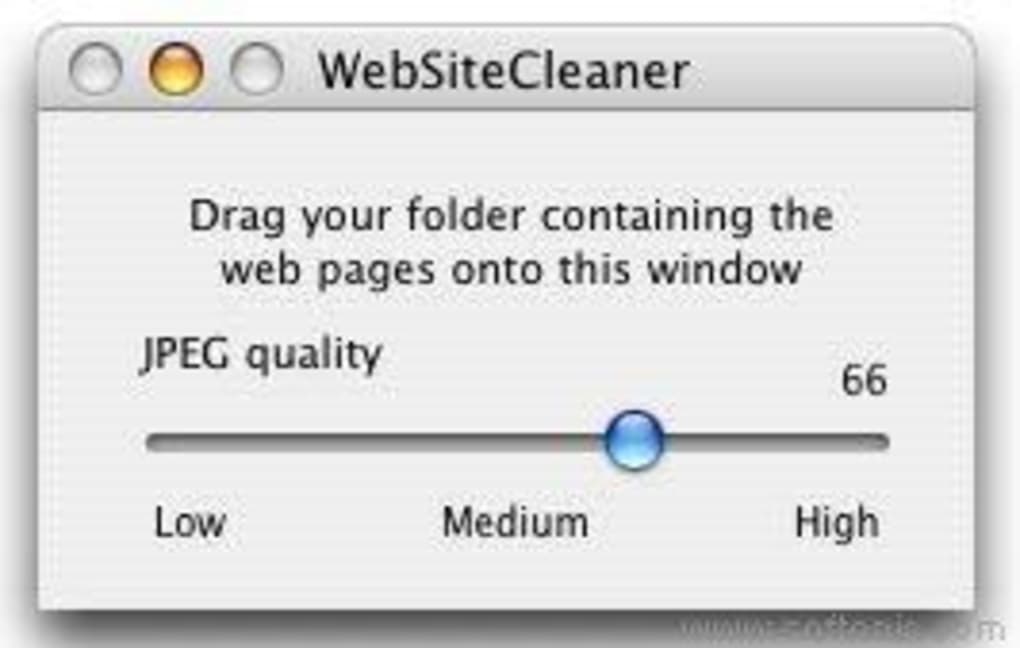
Once installed, launch the app and you’ll see a clean window with three main tabs: HTML, Images, and Batch. To clean an HTML file, click “Add File,” select your .html document, then press “Optimize.” The tool instantly rewrites the markup and displays a size comparison. For images, choose JPEG or GIF files, and the program applies lossless compression while preserving EXIF data. The Batch tab lets you drop an entire website folder; WebsiteCleaner will recursively process every supported file, generating a log of changes for your reference.
System Requirements
WebsiteCleaner runs on Mac OS X 10.2 (Jaguar) through macOS 10.5 (Leopard). It does not support newer macOS releases, nor does it have Windows, Linux, Android, or iOS versions. Because the software was last updated in 2005, compatibility with the latest hardware is limited, but it remains functional on legacy Macs that meet the minimum OS criteria.
Pros & Cons
- Pros
- Fast, one‑click optimization for HTML and images.
- Minimal system impact—runs smoothly even on older Macs.
- Clear before/after size metrics help justify the optimization.
- Backup feature protects original files automatically.
- Free trial provides full access to features.
- Cons
- Limited to Mac OS X; no support for modern macOS versions.
- Only handles JPEG and GIF; PNG, WebP, and SVG are excluded.
- Interface feels dated compared to contemporary web tools.
- License price not disclosed publicly; requires contacting sales.
- Last update was in 2005, so long‑term support is uncertain.
Frequently Asked Questions
Can WebsiteCleaner compress PNG files?
No. The current version only supports JPEG and GIF formats. Users needing PNG compression will have to use a separate tool.
Is there a way to restore the original files after optimization?
Yes. WebsiteCleaner automatically creates a backup folder named WebsiteCleaner_Backup in the same directory as the original files. You can copy files back from this folder at any time.
Will the optimizer affect my website’s SEO?
The tool is designed to improve SEO by reducing page load times. Since it only removes unnecessary code and compresses images without altering content, it should have a positive impact on search rankings.
Can I use WebsiteCleaner on macOS Catalina or later?
Officially, no. The software supports up to macOS 10.5. While it might launch on newer systems, you may encounter compatibility warnings or missing libraries.
How does the trial version differ from the full license?
The trial version provides unrestricted access to all features for a limited period (usually 14 days). After expiration, you must purchase a license key to continue using the optimizer.
Conclusion – Should You Download WebsiteCleaner?
WebsiteCleaner delivers a focused, no‑frills solution for Mac users who need to shave off unnecessary bytes from HTML, JPEG, and GIF assets. Its strength lies in speed, simplicity, and a reliable backup system that protects your original work. If you maintain a legacy Mac environment or run a small‑to‑medium website where image size and HTML bloat are common performance bottlenecks, this tool can provide immediate, measurable improvements.
However, the lack of updates since 2005 means you’ll miss out on support for newer image formats, modern macOS security frameworks, and a refreshed user interface. For developers working on the latest Apple hardware or those who require PNG/WebP optimization, you’ll likely need a complementary solution. The decision ultimately hinges on your specific workflow: if you value a lightweight, Mac‑native optimizer and are comfortable with the trial’s limitations, download WebsiteCleaner now and experience a quicker, more efficient website.
Ready to boost your site’s speed? Click the download button below, install the trial, and see the impact for yourself. Remember, a faster website not only pleases visitors but also earns favor with search engines—making WebsiteCleaner a worthwhile addition to any Mac developer’s toolkit.







